

FXVPS Review 2026: Plans, Pricing, Pros And Cons (fxvps.cloud)
FXVPS (fxvps.cloud) is a trader-focused Windows VPS on AMD Ryzen CPUs and NVMe storage, starting at $11.48/month. It is one of the most affordable ways to keep MT4/MT5 Expert Advisors running 24/7, with dedicated resources, auto-restart and free migration help. Tip: there's no free trial or refund on VPS plans, so start with a monthly plan.
In this guide13 sections · 7 min read
- What is FXVPS?
- FXVPS plans & pricing
- Key features of FXVPS
- Hardware & performance
- Supported trading platforms
- How to get started with FXVPS
- Payment methods
- SLA, uptime & refund policy
- Customer support
- FXVPS pros & things to know
- Who should use FXVPS?
- Final verdict: is FXVPS worth it?
- Frequently asked questions
FXVPS (fxvps.cloud) is a trader-focused Windows VPS on AMD Ryzen CPUs and NVMe storage, starting at $11.48/month. It is one of the most affordable ways to keep MT4/MT5 Expert Advisors running 24/7, with dedicated resources, auto-restart and free migration help. Tip: there's no free trial or refund on VPS plans, so start with a monthly plan.
| Overall | Price / value | Features | Support |
|---|---|---|---|
| 4.5 / 5 | 4.8 | 4.6 | 4.5 |
What is FXVPS?
FXVPS is a Forex VPS provider at fxvps.cloud that sells low-latency Windows servers made for traders. Instead of leaving your home PC on all night, you rent a remote Windows Server that runs MetaTrader 4, MetaTrader 5, cTrader and your Expert Advisors around the clock — through PC sleep, Wi-Fi drops or power cuts.
The company is led by Chairman Saifur Rahman Sumon and Managing Director Mehedy Hasan. It hosts traders only: servers are not packed to the limit, and vCPU and RAM are reserved for each client. FXVPS also offers dedicated servers for heavier setups, and was named Best Forex VPS Provider 2026 by Fxdailyinfo.
FXVPS plans & pricing
FXVPS keeps it simple with three plans. Prices are in USD, there is no setup fee, and every plan includes a Windows Server licence with full admin access.
| Plan | Price | vCPU | RAM | NVMe | MT4/MT5 terminals |
|---|---|---|---|---|---|
| Start | $11.48/mo | 2 cores | 2 GB | 50 GB | 2 |
| Pro (most popular) | $19.67/mo | 4 cores | 4 GB | 80 GB | 5 |
| Elite | $31.97/mo | 6 cores | 8 GB | 120 GB | 10 + priority support |
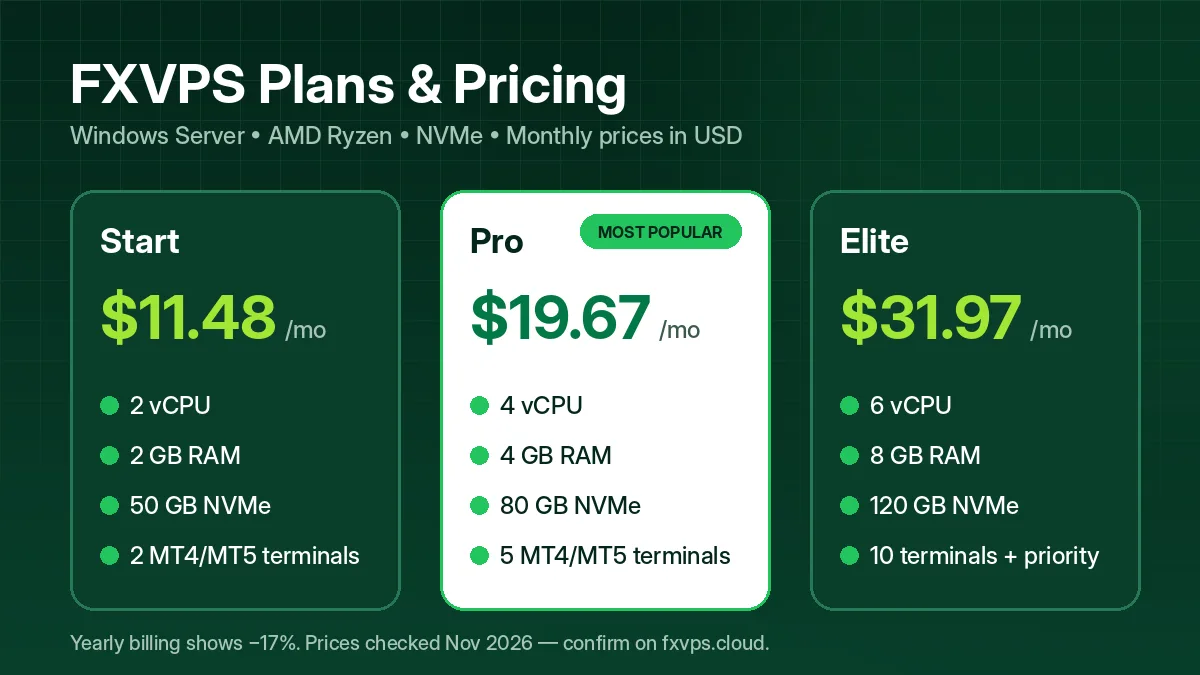
Billing is monthly, quarterly or yearly; yearly is marked with a 17% discount. You can upgrade or downgrade from the client area and pay only the difference — your data stays in place.
Which plan should you pick?
- Start – one or two terminals with a light EA or a simple trade copier.
- Pro – the plan most traders choose; up to five terminals, good for multiple broker accounts or prop-firm challenges.
- Elite – up to ten terminals, heavy EAs, many charts and priority support.
Terminal counts are tested numbers; heavy EAs, many charts or the strategy tester need extra headroom.
How does FXVPS pricing compare?
On its own comparison page, FXVPS lists an average cost of $4.88 per GB of RAM, versus $6.57 for Cheap Forex VPS and $16.54 for FXVM. On those numbers, it is one of the best-value options in the forex VPS market.
Key features of FXVPS
- Always-on terminals – MT4/MT5 keeps running even when your own computer is off.
- Auto-restart – after a reboot or Windows update, terminals come back logged in and trading.
- Snapshots & one-click rollback – snapshot before changing an EA, roll back if something breaks.
- Remote Desktop from any device – Windows, Mac, iPhone or Android, with any RDP client.
- Full admin access – install any platform, EA, indicator or tool.
- Dashboard controls – start, reboot or reinstall the server yourself.
- Free migration – the team copies your terminals and EAs across at no charge.
Hardware & performance
FXVPS runs high-clock AMD Ryzen processors with NVMe SSD storage. Ryzen's strong single-core speed suits MetaTrader, since each terminal mostly runs its EA on one thread. NVMe makes Windows, terminal start-up and history loading faster than older SATA SSDs.
Each client gets guaranteed vCPU and RAM, and FXVPS keeps spare capacity on every host (its site shows a target of about 60% maximum load). That matters: on oversold hosts, other users' load can slow your EA right when the market moves.
Servers sit in a data centre near your broker with backup power, and the site shows an order-fill example of 0.8 ms. If your broker's server is in a specific data centre (London LD4, New York NY4), message support before ordering to confirm the closest location.
Supported trading platforms
With a full Windows Server and admin rights, you can run almost any Windows trading software:
- MetaTrader 4 (MT4) and MetaTrader 5 (MT5)
- cTrader
- NinjaTrader
- TradingView Desktop
- Python trading bots and trade copiers
- Prop-firm accounts and EA setups
How to get started with FXVPS
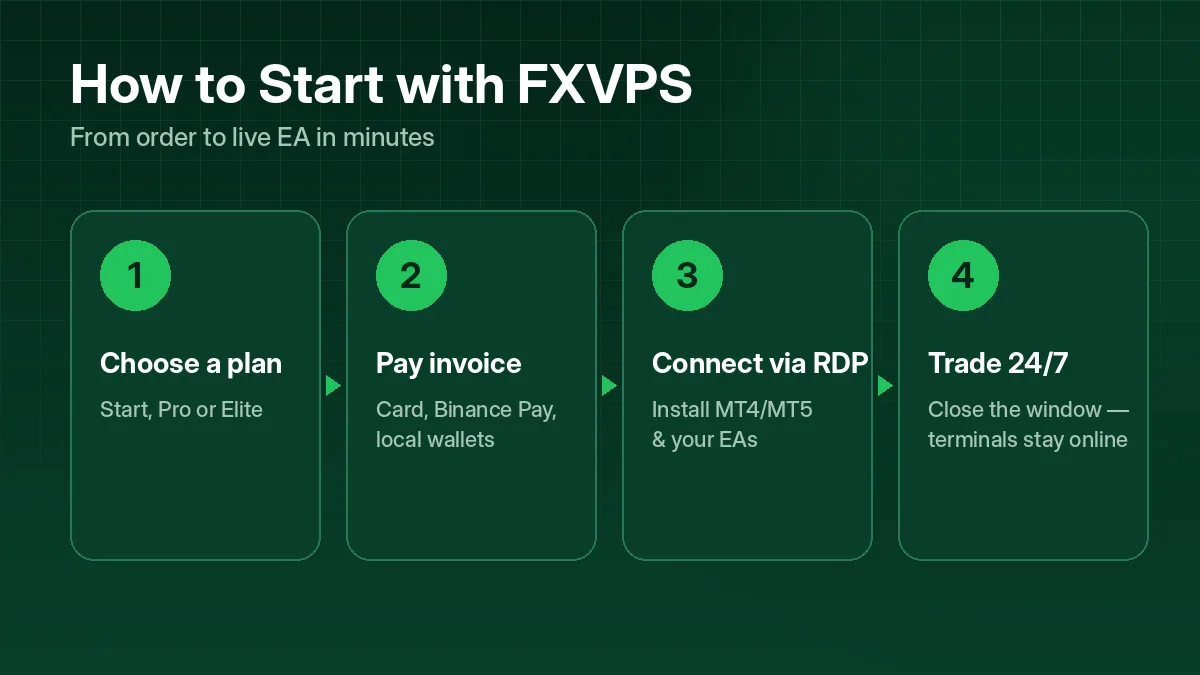
- Choose a plan – Start, Pro or Elite on the plans page.
- Pay the invoice – the server is built automatically. Windows is usually ready within a few minutes, and your Remote Desktop login arrives by email and in the client area.
- Connect via Remote Desktop – install MT4/MT5 and add your EAs, or ask the team to move them for you.
- Close the window – your terminals keep trading 24/7.
Payment methods
FXVPS accepts debit/credit cards, crypto via Binance Pay and local mobile wallets where available (its policy mentions bKash, Nagad and bank transfer). Renewals can be paid from account credit or a new invoice each period, which makes FXVPS convenient for traders in Bangladesh and South Asia.
SLA, uptime & refund policy
Uptime SLA
FXVPS aims for 99.9% monthly uptime. If uptime falls below 95% because of a fault on its side, you get a credit of 25% of that month's fee, added to your account balance. Open a ticket within 7 days of the downtime to claim it.
Refund policy
Good to know: Forex VPS, Cloud VPS and dedicated server payments are non-refundable under FXVPS's policy, and there's no free trial. The smart move: start with a monthly plan, test it with your EA, then switch to yearly billing for the 17% saving.
Customer support
FXVPS offers 24/7, 365-day human support from engineers who use MetaTrader themselves. You can reach the team by support ticket in the client area or by email, and contact requests are usually answered within the hour. Elite users get priority support, and a public network status page shows service health.
FXVPS pros & things to know
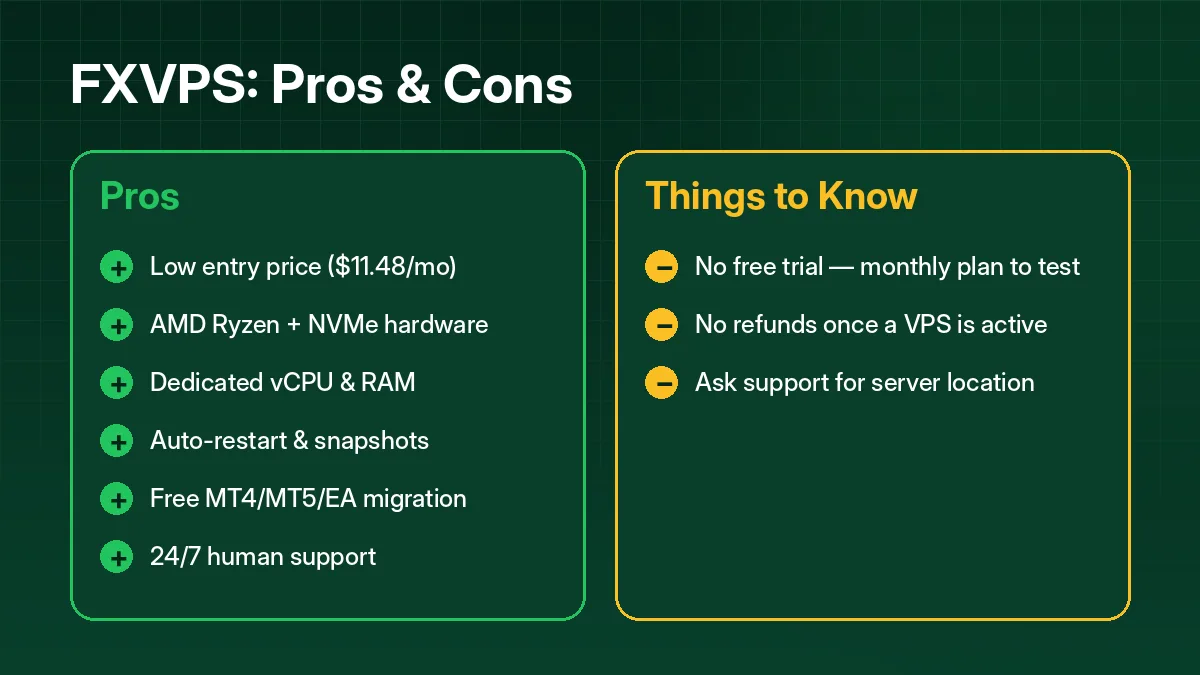
| Pros | Things to know |
|---|---|
| Low entry price from $11.48/mo, no setup fee | No free trial — a low-cost monthly plan works as your test run |
| AMD Ryzen CPUs + NVMe storage | No refunds once a VPS is active, so start monthly before going yearly |
| Dedicated vCPU and RAM, hosts not overloaded | Server locations aren't listed on the site — ask support for the one nearest your broker |
| Auto-restart, snapshots and one-click rollback | |
| Free migration of MT4/MT5 terminals and EAs | |
| 24/7 human support from MetaTrader-savvy engineers | |
| Card, Binance Pay and local wallet payments |
Who should use FXVPS?
FXVPS is a good fit if you:
- Run MT4/MT5 Expert Advisors or trade copiers that must stay online 24/7
- Trade prop-firm challenges and can't afford a disconnect during news
- Want strong hardware (Ryzen + NVMe) at a budget price
- Prefer paying with crypto or local mobile wallets
Final verdict: is FXVPS worth it?
For most retail traders running EAs on MT4 or MT5, FXVPS offers excellent value. The Pro plan at $19.67/month — 4 vCPU, 4 GB RAM and 80 GB NVMe for up to five terminals — is a sweet spot that's hard to beat on price per GB of RAM. Auto-restart, snapshots and free migration make day-to-day management easy.
Add 24/7 support from engineers who know MetaTrader, and FXVPS is an easy recommendation for EA traders. Our advice: start with one month, confirm latency to your broker, then move to yearly billing to save 17%.
Our rating: 4.5 / 5 — Get your FXVPS server →
Frequently asked questions
Is FXVPS good for MT4 and MT5? Yes. FXVPS runs Windows Server on AMD Ryzen CPUs with NVMe storage and supports MT4, MT5, cTrader, NinjaTrader and TradingView Desktop, with auto-restart after reboots.
How much does FXVPS cost? Plans start at $11.48/month (Start), $19.67/month (Pro) and $31.97/month (Elite). Yearly billing shows a 17% discount.
How many MT4 terminals can I run on FXVPS? Start supports 2 terminals, Pro 5 and Elite 10. Heavy EAs or the strategy tester need extra headroom, and you can upgrade without reinstalling.
Does FXVPS offer a refund or free trial? No. VPS and dedicated server payments are non-refundable and no free trial is listed, so start with a monthly plan to test.
What uptime does FXVPS guarantee? FXVPS aims for 99.9% monthly uptime. If uptime falls below 95% due to its fault, it credits 25% of that month's fee to your account balance.
How fast is FXVPS setup? The server is created automatically after payment; Windows is usually ready within a few minutes and login details arrive by email.
How do I pay for FXVPS? By card, crypto via Binance Pay, or local mobile wallets such as bKash and Nagad where available.
Risk disclaimer: Trading forex and CFDs carries a high level of risk. A VPS improves uptime and execution speed but does not guarantee trading profits. Prices and terms were checked on fxvps.cloud on November 24, 2026 and may change.
 TH
 AT
 RO